Offline music player · iPhone & iPad

Your music,
on your device.

Bring in the tracks you already own and keep your whole collection in one place — beautifully organised and fully offline.

No account needed. Your library never leaves your device.

  • 100% offline
  • Private by design
  • 18 languages
  • iPhone & iPad

What you get

Everything a music player should be.

Four essentials, crafted to feel effortless — then a few extras you'll be glad are there.

Your library

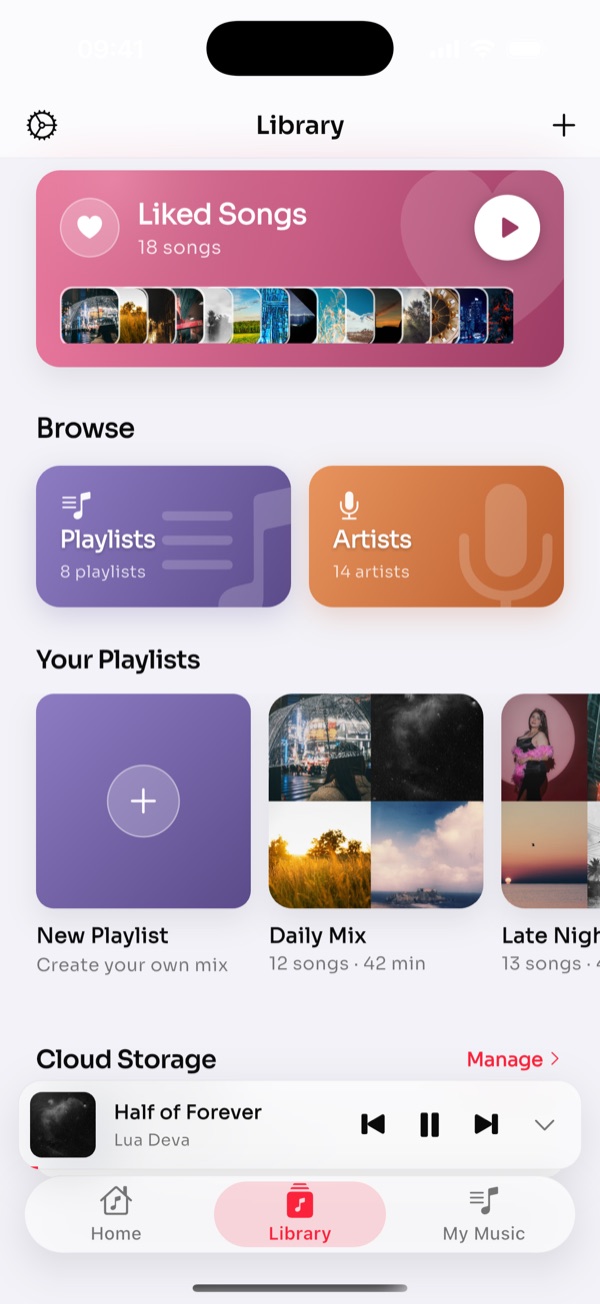
Your music, on your device

Import the audio you already own and keep your whole collection in one place — no cloud required.

  • Import your files — Add audio straight from your device in a tap.
  • Browse by song, album & artist — Your catalogue, neatly organised.
  • Always available — No connection needed — ever.
Now playing

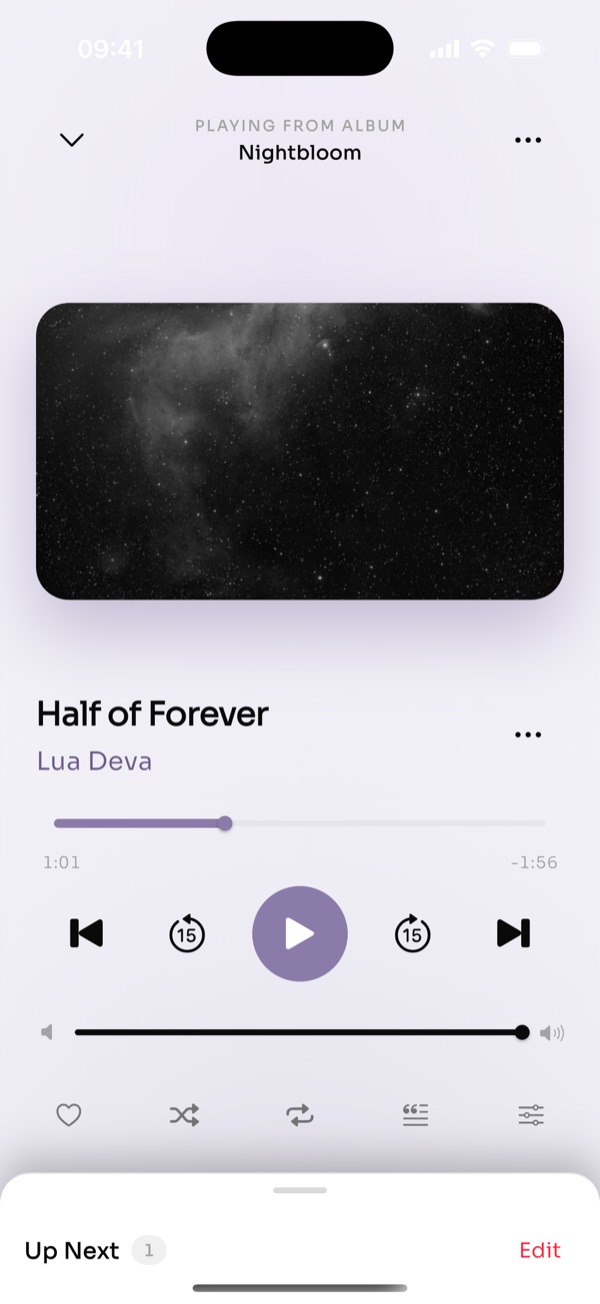
An immersive player

Artwork-tinted visuals and lyrics that follow along, line by line.

  • Cover-tinted glow — The screen takes on the colours of your album art.
  • Synced lyrics — Sing every word, perfectly timed.
  • Speed & sleep timer — Tune playback and drift off to your music.

Your collection

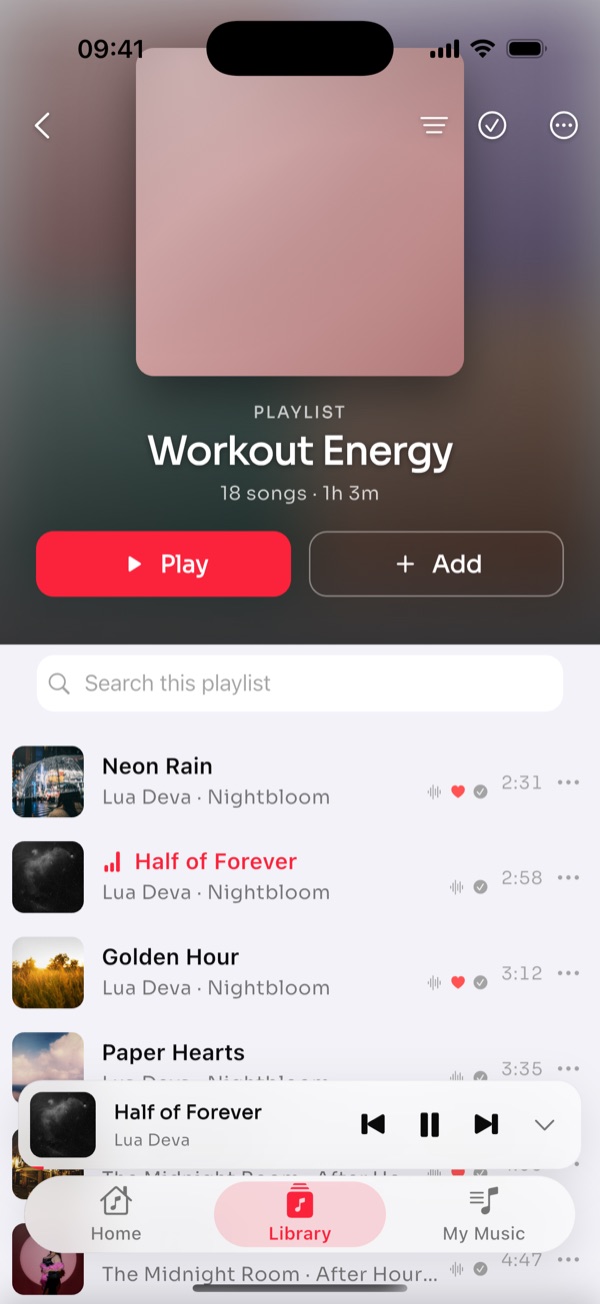
Playlists & favorites

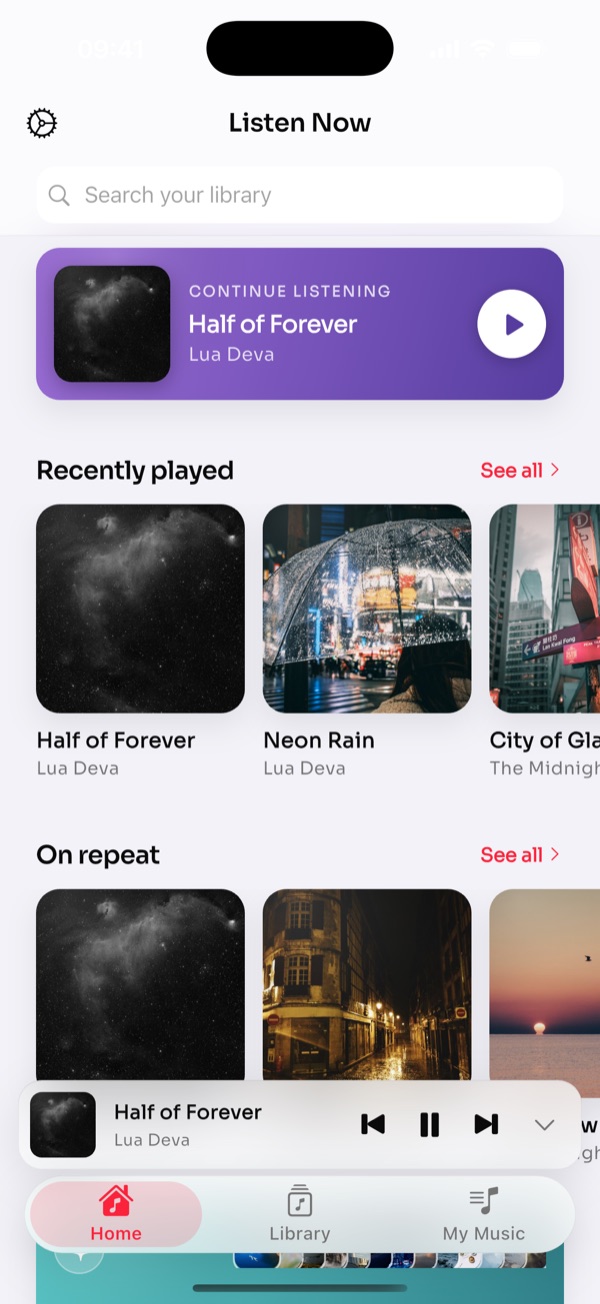
Build playlists, love the songs you replay, and pick up right where you left off.

  • Like your favorites — One tap to keep the songs you love close.
  • Create playlists — Group tracks for any mood or moment.
  • Continue listening — Jump back into recent tracks instantly.

Sound

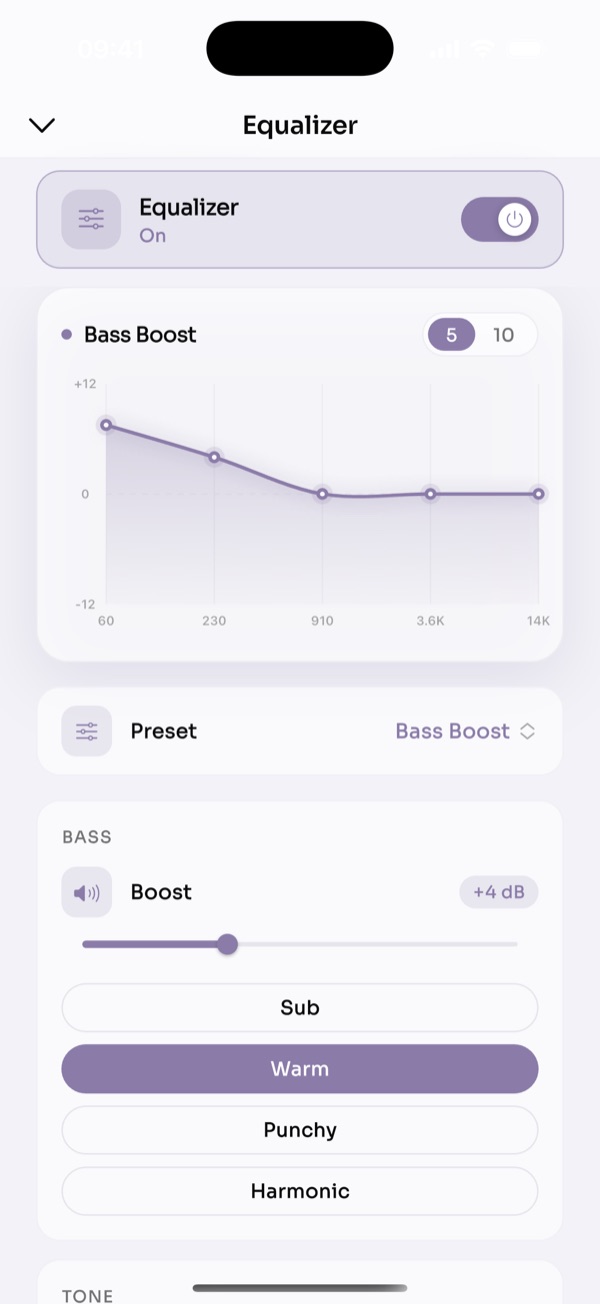
Tune your sound

Shape every track with a graphic equalizer and ready-made presets.

  • Graphic equalizer — Dial in the balance band by band.
  • Presets & bass boost — Quick profiles for every kind of track.
  • Fine-tuned output — Get the exact sound you want.

Designed to disappear

A player that gets out of the way.

Clean type, gentle motion, and a Now Playing screen that glows with your album art.

And more

The little things add up.

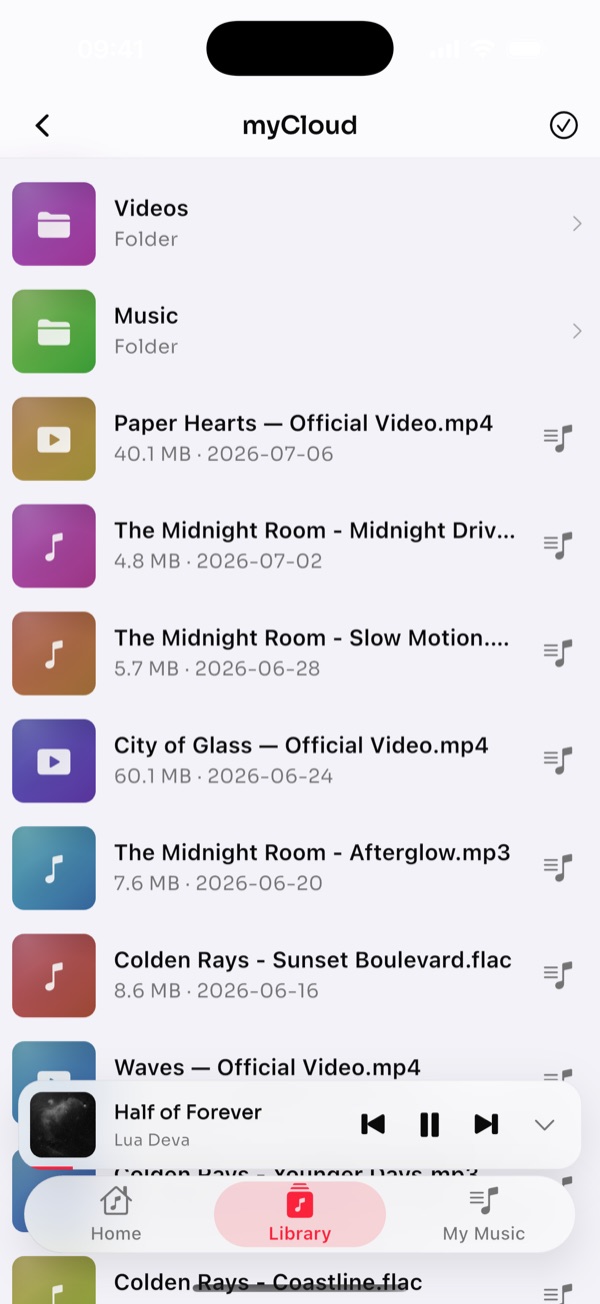
Cloud import

Pull tracks in from Dropbox, Yandex, WebDAV, ownCloud or Nextcloud — read only, your files are never touched.

Backup & sync

Sign in to keep your library and playlists safe across reinstalls.

Made yours

Light, dark and AMOLED themes, accent colours and adjustable text size.

Synced lyrics

Line-by-line lyrics that follow the song, full-screen when you want.

Sleep timer

Fade out and stop after a set time — drift off to your music.

18 languages

The whole app speaks your language, right out of the box.

Worldwide

Speaks your language.

musiky is fully translated into 18 languages — the interface adapts to you automatically.

English, Türkçe, Deutsch, Español, Français, Italiano, Português, Nederlands, Norsk, Čeština, Magyar, Română, Bahasa Indonesia, Bahasa Melayu, ไทย, 日本語, 한국어, العربية

The maker

Made by Mihaela Dragomir

musiky is designed and built by Mihaela Dragomir, an independent developer with a simple belief: your music should be private, beautiful, and always in your pocket — no accounts, no noise, no getting in the way.

“Music the way it should be — yours, and always with you.”
Get in touch

Good to know

Questions & answers

Is musiky free?

Yes. musiky is free to download and use. An optional Pro upgrade unlocks extras and removes ads, but the core offline player is free.

Does musiky need an internet connection?

No. musiky is built to work fully offline. Once your tracks are imported, everything — playback, lyrics, playlists and the equalizer — works with no connection at all.

Where is my music stored? Is it private?

Your library stays on your device. musiky keeps your music on-device by design; it doesn't upload your files. Optional cloud backup and sync are opt-in and only run when you sign in.

What can I import?

Import audio you already own straight from your device. You can also connect Dropbox, Yandex, WebDAV, ownCloud or Nextcloud and pull tracks in — read only, so your original files are never modified.

What languages does musiky support?

musiky is fully localised into 18 languages, including English, Turkish, German, Spanish, French, Italian, Portuguese, Dutch, Japanese, Korean, Arabic and more. It follows your device language automatically.

Which devices are supported?

musiky is built for iPhone and iPad. You can download it from the App Store.

How do I get support?

Email us at [email protected] and we'll help. You can also reach out from inside the app under Settings › Contact.

Ready when you are

Bring your music home.

Free to download. Yours to keep. Always in your pocket.